A review pass. Nine screens went onto one sheet, in light and dark, and whatever looked wrong got a before and an after.
2 screenshots · Nos. 1 to 2
No. 01Nine screens on one sheet. The status bar still carries the app’s working title; the owl came later.
No. 02The page navigator, before and after: a field that looks like one, and a Done you can find.
Part02
Eight kinds of ink
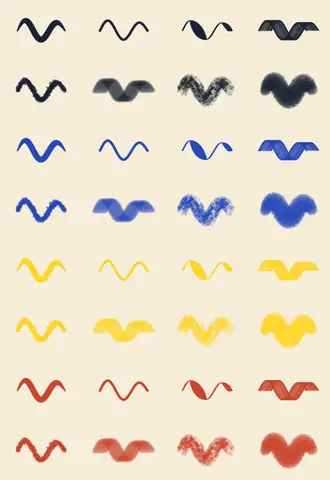
Each pen needed a sample of how it writes. PencilKit draws the line and the app keeps only its shape, so one drawing takes any colour.
3 screenshots · Nos. 3 to 5
No. 03Each ink at six widths, saved as a bare shape. Not much to look at until it is given a colour.
No. 05Their first home: a grid in the pen’s options. The pen roll replaced it.
No. 04Given four. Pen, fineliner, fountain pen and calligraphy pen; then pencil, highlighter, crayon and brush.
Part03
Where the pens go
The app keeps its own pens, each with its ink and its width, and they need somewhere to stand. Three places were tried.
7 screenshots · Nos. 6 to 12
No. 06First place: the app’s own pens down the side of a whiteboard, with the system’s tool picker still along the foot.
No. 07Second place: up in the top bar, beside undo and redo.
No. 08The system’s picker, close up. Nothing of it is left in the app but the colour well.
No. 09The whiteboard’s own bar, cropped out to be looked at by itself.
No. 10Third place: the foot of the page, on one board. Here the system’s colour picker has opened on top of the pen’s own options.
No. 11Four frames of the tray at the foot of a page. In the last, the shortcuts menu has outgrown its popover.
No. 12The same menu once it fitted. What stands in the tray is ticked in mustard.
Part04
The pen roll
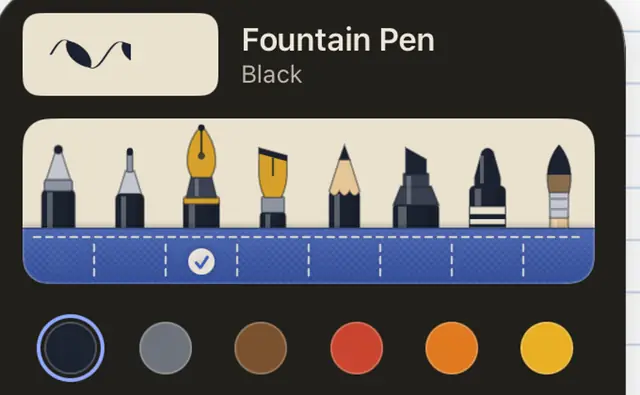
The kinds of pen are drawn, not named: eight tools standing in a cloth pocket, the one in use pulled up. Names would not have fitted under them at large text sizes, or in German.
6 screenshots · Nos. 13 to 18
No. 13First drawings: a stitched pocket, and the chosen tool standing taller than the rest. The stitching went.
No. 14Second round: pockets that swell between their seams, then mustard piping along the top. The last three are how it stayed.
No. 15Close enough to check the nibs.
No. 16In place: the pen’s own line at the top, the roll, the colours, and a width strip that swells as the stroke does.
No. 17Two notebooks side by side, and the options opened from each half.
No. 18On a chalkboard page, black ink is shown as pale as it writes there.
Part05
A dish for the Pencil
A squeeze of the Pencil brings the tools to its tip.
3 screenshots · Nos. 19 to 21
No. 19The ink dish: a well for each pen round the rim, and the eraser, the lasso, undo and redo in the middle.
No. 20Opacity joins width. A pen set faint shows it on its own label.
No. 21Eight pens in the tray, to see how it holds up when it is full.
Part06
A name and an owl
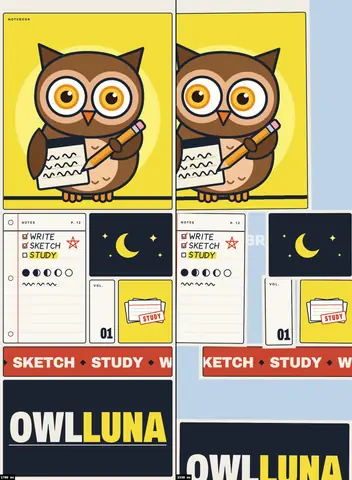
Here the app became OwlLuna and got its owl: brown, in round glasses, on a crescent moon, with a pad under one wing and a pencil in the other.